A useful free-plugin collection is small enough to understand and complete enough to finish a track. You need sound sources, a way to shape frequency balance and dynamics, a few spatial and character effects, and tools that tell you what the output is doing. You do not need five overlapping downloads for every task.
This guide assembles that toolkit from official developer information checked on 2 November 2026. “Best” means useful for a defined job, with clear limitations, rather than a universal sound-quality ranking. We have not personally benchmarked every plugin, audited source code, or tested all operating-system and DAW combinations. The exercises are original proposed workflows, not reports of listening tests.
The listed free editions were offered through official pages when researched. That is a dated observation, not a promise of perpetual support. Check the linked page before installation: minimum systems, installer signing, activation, formats and edition boundaries can change. A free download is valuable only if it works reliably in your actual projects.
What does free mean?
Freeware is software supplied at no charge under the developer's license. It does not automatically grant source-code access or permission to redistribute installers. Valhalla Supermassive, SPAN and DC1A are useful examples of no-cost products with their own terms.
Open-source software provides source code under an explicit license. Surge XT and Dexed belong in this category. Open source does not mean that every preset, sample library or product logo found near the software has identical reuse rights. Keep software licensing separate from sound-content licensing.
Freemium describes a useful free edition accompanied by paid options. Vital Basic and Youlean Loudness Meter Free fit that practical description, although their edition structures differ. Do not assume that screenshots showing an advanced feature prove it is included in the free tier.
A demo or trial may expire, introduce noise, restrict saving or limit processing time. None of those conditions is equivalent to a permanent free edition. A plugin can also be temporarily free during a promotion. This guide does not count a time-limited trial as a free production tool.
The toolkit at a glance
| Need | Recommended starting tool | Free-edition distinction | Main caution |
|---|---|---|---|
| Visual wavetable synthesis | Vital Basic | Free tier; paid content tiers exist | Account and graphics requirements |
| Broad synthesis exploration | Surge XT | Open source | Large feature set takes time to learn |
| DX-style FM synthesis | Dexed | GPLv3 software | FM algorithms require a different mental model |
| EQ and dynamic frequency control | TDR Nova | Free standard edition; paid GE exists | Dynamic bands need level-dependent setup |
| Clean compression | TDR Kotelnikov | Free standard edition; paid GE exists | Not a tube or FET coloration tool |
| Simple character compression | Klanghelm DC1A | Freeware | Deliberately reduced timing controls |
| Expansive delay/reverb | Valhalla Supermassive | Freeware | Long feedback tails can obscure a mix |
| Multiband dynamics effect | Xfer OTT | Freeware | Aggressive processing can raise noise and harshness |
| Frequency and stereo analysis | Voxengo SPAN | Free edition; separate paid products exist | Displays do not make mix decisions |
| Loudness and true-peak measurement | Youlean Loudness Meter Free | Non-expiring free tier; paid Pro features | Metering does not change the signal |
| Focused effects collection | Kilohearts Essentials | Free with an account | Paid hosts and other products are separate |
| Sample-based instruments | Decent Sampler | Free player; library terms vary | A free player does not make every library free |
Vital Basic: learn synthesis with visible modulation
Vital's official site lists Basic as free and describes the full synthesis engine with a smaller included preset and wavetable collection than paid tiers. The researched page specifies 75 presets and 25 wavetables for Basic, plus 64-bit systems and OpenGL 3 or later. Supported operating-system families include Windows, macOS and Ubuntu Linux; consult the current page for the exact minimum releases.
Its wavetable and modulation approach is useful when you want to connect an envelope or LFO to a parameter and see the relationship. That is a workflow recommendation based on the interface concept, not a claim that it sounds better than another synth.
Try this: initialize a patch, use one oscillator, and shorten the amplitude envelope into a pluck. Add a low-pass filter and route a second envelope to cutoff. Compare a brief bright opening with a longer, gentler sweep. Save both patches before adding effects.
Limitation: free access to an engine does not remove the need to learn gain staging, modulation depth and voice count. Start with modest unison and avoid adding a second oscillator simply because the first patch sounds quiet. Paid preset content is optional, not a prerequisite for making original sounds.
Surge XT: a deep open-source instrument
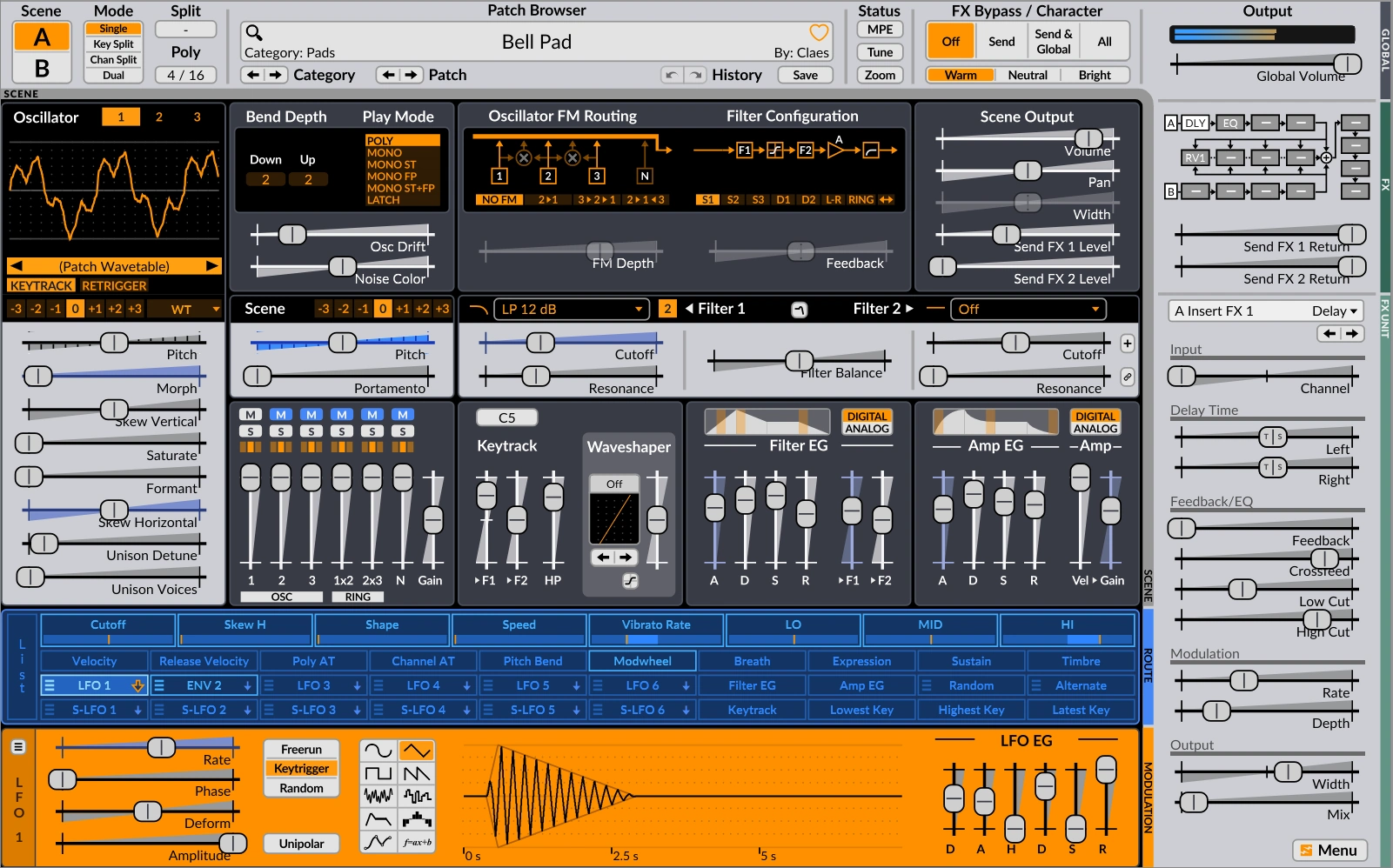
Surge XT's project site documents multiple synthesis methods, flexible modulation, filters and effects. It offers Windows, macOS and Linux builds; available formats differ by platform, with VST3 and CLAP among the published choices. The stable download displayed during research was 1.3.4, alongside separate nightly builds.
Surge XT suits a producer who wants to explore several synthesis approaches without collecting a different instrument for every technique. Its depth is also the main tradeoff: an unfamiliar patch can contain several interactions that are hard to diagnose at once.
Try this: begin from an initialized sound and keep one oscillator active. Set an amplitude envelope, then introduce filter movement using a slow LFO. Change the LFO amount before changing its shape. The goal is to hear how modulation depth affects the musical phrase, rather than to produce an elaborate patch immediately.
Use the stable release for a project you need to reopen reliably. Experimental nightlies can be useful for testing, but keep backups and avoid treating development builds as interchangeable with the supported release. Open-source availability is a strength for transparency and community development, not a guarantee that every host configuration has been tested.
Dexed: an approachable route into DX-style FM
Dexed's official project page identifies GPLv3 software modeled around DX7-style synthesis, with DX7/TX7 SysEx loading and saving. The page displayed version 1.1.0 and documents Windows, macOS and Linux support with platform-dependent formats. Check release assets rather than assuming a format listed for one system exists on another.
Dexed is useful for metallic keys, electric-piano-style tones, bells and evolving FM sounds. These are synthesis possibilities, not promises that a preset will fit any production. FM begins to make sense when you separate the audible carrier from an operator that modulates it.
Try this: choose a simple algorithm and reduce unnecessary operators. Hold a note while changing a modulator's level, then shorten that operator's envelope. You should investigate how a bright beginning can decay into a simpler sustained tone without a conventional filter sweep.
Limitation: a panel full of operator envelopes can be less immediately intuitive than subtractive synthesis. Download patches only from legitimate sources, keep any supplied license information, and do not assume a vintage-sounding bank is automatically authorized for redistribution.
TDR Nova: corrective EQ that responds to level
Tokyo Dawn's Nova page offers the standard edition as a free download and distinguishes it from paid Nova GE. It documents four dynamic EQ bands plus high-pass and low-pass filtering. Version 2.2.3 and a Linux x86-64 download were visible during research, alongside Windows and macOS installers; this is a reason to consult current information rather than repeat an older Windows/Mac-only assumption.
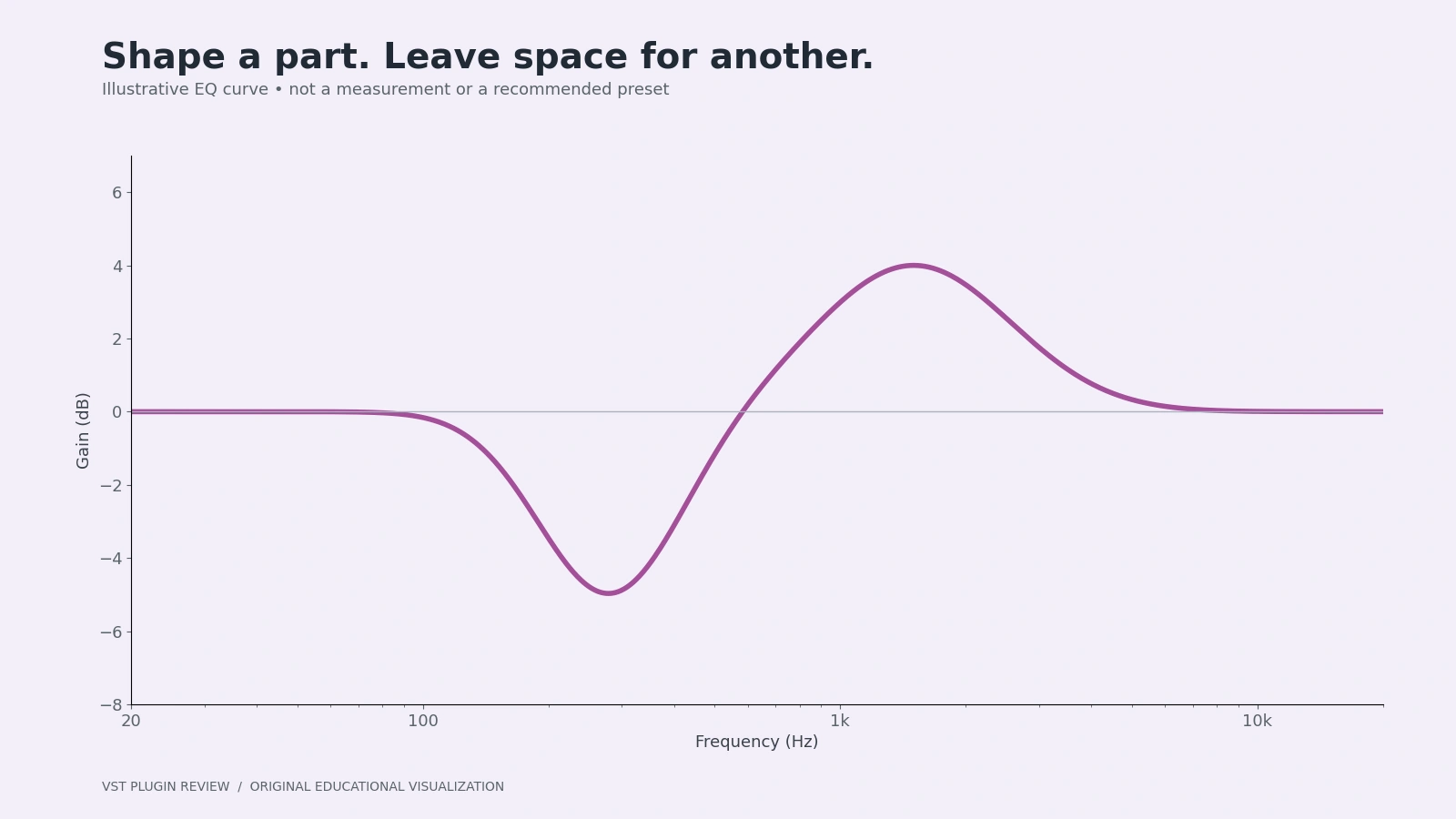
A static EQ changes a frequency region consistently. A dynamic EQ band can reduce that region more when its detector sees a louder event. That makes Nova a practical candidate for occasional resonances that should not be cut throughout the performance.
Try this: locate a harsh region with a modest bell, return it toward a sensible level, and enable dynamics for that band. Lower its threshold only until loud notes trigger useful control. Avoid setting every band to move merely because the feature exists.
Limitation: a spectrum peak is not automatically a fault. Constant correction can remove the musical identity of a source. Use broad static balance first and reserve dynamic processing for a problem you can identify by ear.
Two different free compressors: Kotelnikov and DC1A
TDR Kotelnikov is a free digital wideband compressor with a separate paid GE edition. Its standard release page lists Windows and macOS downloads. It is a suitable learning option when the intention is controlled dynamics rather than deliberately modeled vintage coloration.
Try this: on a stereo group, use a low ratio and adjust threshold until only the loudest moments receive a little reduction. Match output loudness, listen through a whole section, and ask whether movement has become more consistent without losing musical contrast. If bypass sounds just as good, you have learned that the group may not need compression.
Klanghelm DC1A takes a different approach: a free character compressor organized around input and output controls, with options including Relaxed, Deep and Dual Mono. The official page displayed version 3.5.0 with Windows and macOS installers.
Try this: on a drum loop, raise input gradually and lower output to maintain a fair comparison. Explore Deep when bass is driving too much pumping, then compare Relaxed. Its reduced control set is helpful for quick decisions but is a limitation when you need explicit attack and release values.
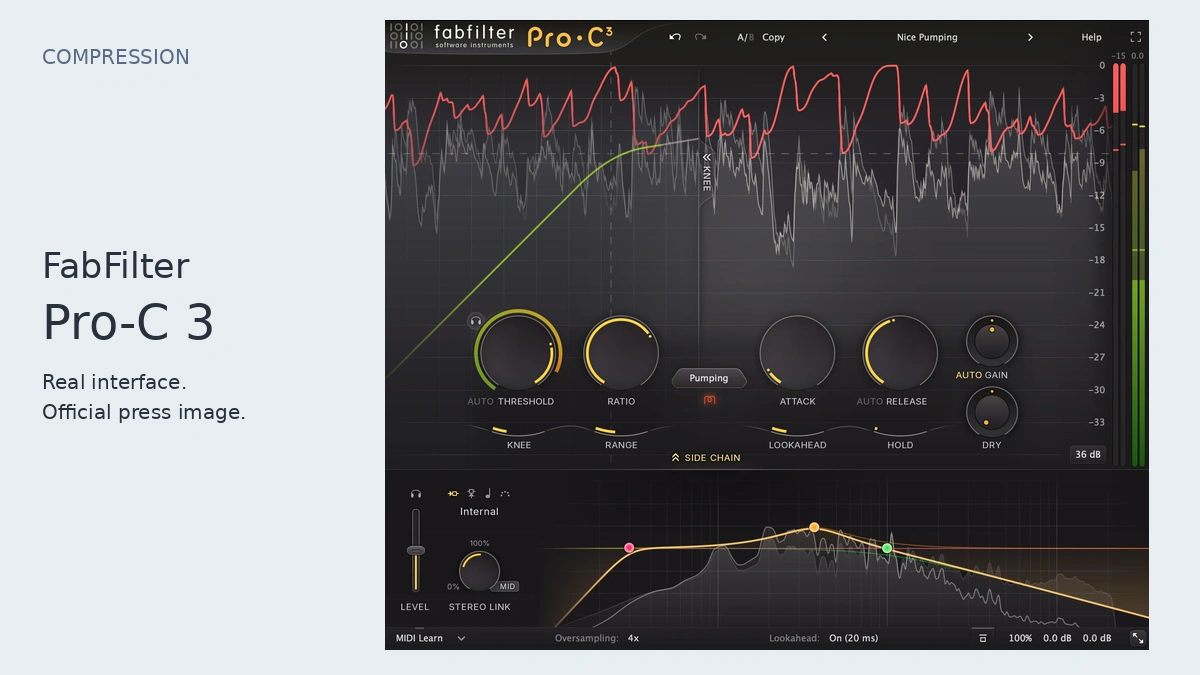
For a fuller explanation of timing, detector paths and paid alternatives, read our compressor selection guide. Neither free compressor should be inserted on every channel by default.
Valhalla Supermassive: space as a sound-design instrument
Valhalla's official Supermassive page and support guidance identify Supermassive as free, with no authorization required. Its reverb/delay approach makes it useful for diffuse echoes and expansive spaces. Windows and macOS plugin formats are documented by the developer; check the current installer for your host.
Try this: place it on an auxiliary return, set the effect wet, and send a short pluck into it. Start with conservative feedback and a quiet return level. Change the delay behavior while listening to the silence between notes. A useful tail should support the phrase rather than obscure its next entrance.
Limitation: a striking solo effect can overcrowd a dense track. Filter or automate the return using your DAW tools, and reduce the send before adding another corrective processor. This is not a claim that Supermassive replaces every small room, convolution impulse response or realistic acoustic space.
The product page was blocked by a direct fetch during research; the developer's indexed product information and accessible support text establish its free status. We omit exact current mode counts and version-specific claims rather than fill gaps with third-party assumptions.
Xfer OTT: multiband dynamics as a deliberate effect
Xfer's freeware page provides OTT installers for Windows and macOS and describes current format and recall changes. The page listed 1.37 installers and warned about VST3 identifier changes in certain earlier versions. Keep that warning in mind when opening old sessions: replacing a plugin file is not always a harmless update.
OTT is useful when you want conspicuous multiband dynamics shaping, not merely a quieter peak meter. Such processing can make low-level details, noise and high-frequency content more audible. That can be creative on a synth and destructive on an already brittle source.
Try this: duplicate a synth part for comparison, use a low Depth setting, and compensate the output. Increase the effect until it becomes clearly excessive, then back down while listening in the arrangement. Check the beginning and end of notes as well as the sustained center.
Limitation: it cannot repair a badly balanced patch automatically. If every synth requires heavy multiband correction, revisit oscillator levels, filtering and arrangement. Save installer versions and render important parts before changing a working project's plugin installation.
Dragonfly Reverb: another open-source spatial option
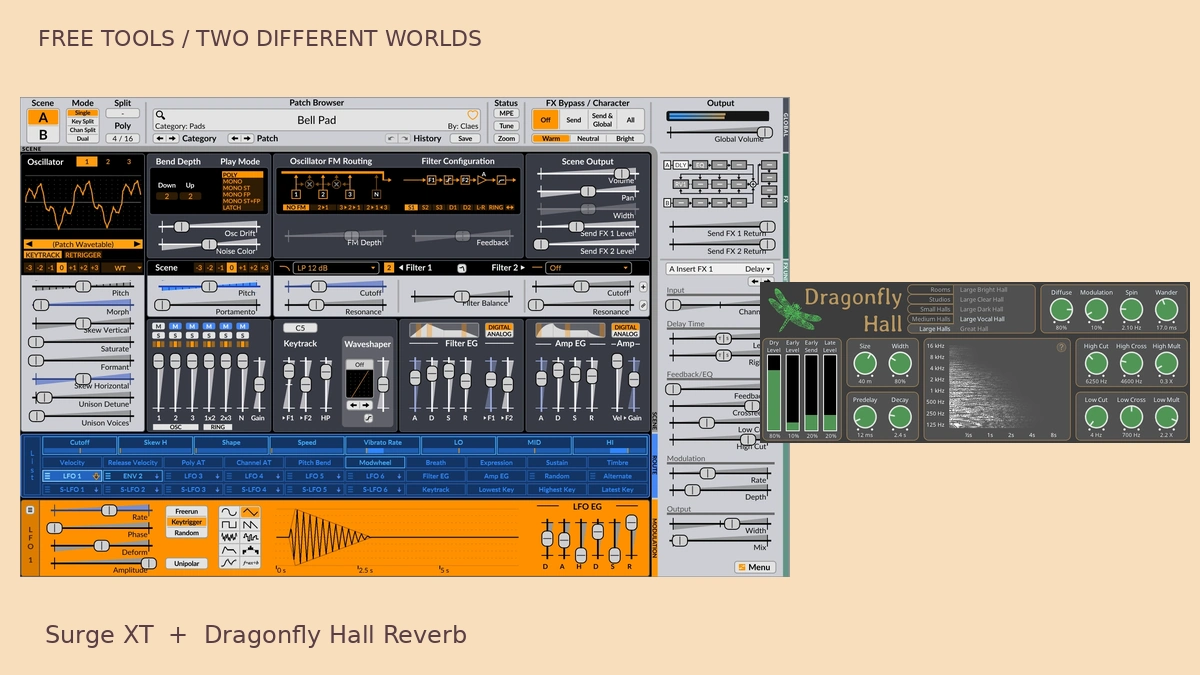
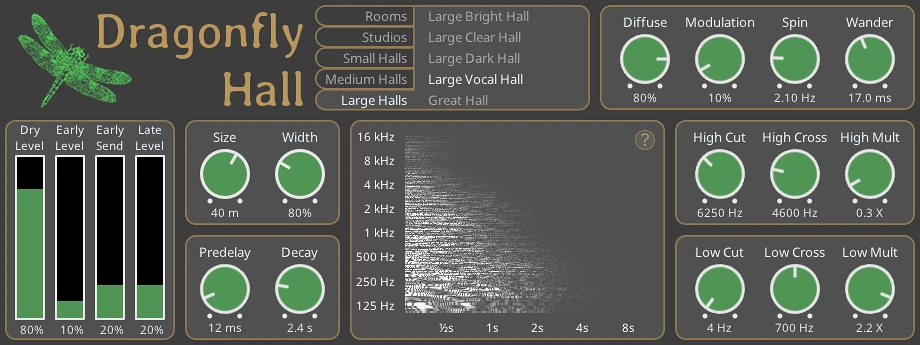
Dragonfly Reverb is an open-source GPL-licensed reverb collection. Its official documentation shows separate hall, room, plate and early-reflection interfaces. The authentic Hall interface below illustrates predelay, decay and filtering controls; the image is not a report of a listening test. Check the project’s current releases and format support before installation.
Kilohearts Essentials: distortion, delay and focused building blocks
Kilohearts Essentials is explicitly free with an account. Its current page lists a collection of effects including Distortion, Delay, Dual Delay, Reverb, Compressor, filters and modulation tools. These work as regular DAW plugins; compatible paid Kilohearts hosts are separate products. An account-based free bundle is not a free license to the entire ecosystem.
For beginners, small focused effects can make cause and effect easier to hear than a large multi-effect preset. Use one processor to answer one question. A distortion plugin can add upper harmonics; a filter after it can reshape the result. The order matters because nonlinear processing creates new spectral content.
Try this: send a bass patch through Distortion, lower the output to match bypass, then compare a filter before versus after distortion. For delay, begin on a return with quiet repeats and adjust timing to support the rhythm. If the repeated notes interfere with the next phrase, shorten feedback or automate the send.
Limitation: owning many free processors can still create a distracting browser. Install or favorite a small subset first. Read the current platform requirements and do not confuse an attractive screenshot of Phase Plant or Multipass with something included free.
Metering: SPAN and Youlean answer different questions
Voxengo SPAN is a free FFT spectrum analyzer with stereo correlation and level-related displays. Its official downloads cover Windows and macOS, with VST/VST3, AU and AAX availability varying by system. It can help reveal persistent sub-bass, frequency overlap and stereo concerns, but it does not identify what your song should sound like.
Try this: compare a reference and your mix at similar playback loudness using consistent analyzer settings. Look for broad differences, then listen. Do not EQ every narrow peak into a perfectly flat line; instruments naturally contain harmonics, and a flat plot is not a musical target.
Youlean Loudness Meter Free is a non-expiring free tier offering loudness and true-peak readouts. The paid Pro tier adds features such as drag-and-drop analysis and export; those should not be attributed to Free. The developer lists Windows/macOS and multiple plugin formats.
Try this: reset measurement and play your complete arrangement to understand integrated loudness, then examine a dense section with short-term readings. The meter analyzes; it does not turn the track into a compliant master. A streaming normalization value is not a universal production target, and matching a number does not guarantee good dynamics.
Decent Sampler: sample instruments without a paid player
Decent Samples' official player page offers Decent Sampler free, with email entry requested for downloading. It supports instruments in its own library format and lists Windows, macOS and Linux downloads. The researched page displayed version 1.40.1. Use the correct build for your system rather than assuming every package supports every architecture.
This fills a different role from a synthesizer: a sampled piano, unusual acoustic texture or percussion instrument can add an organic source to an electronic arrangement. Try this: choose one legitimately free library, play a short phrase, and shape note lengths and velocity before reaching for effects. Keep the library folder intact so its sample references remain valid.
Limitation: the free player does not make every commercial library free, and a compatible file format does not establish permission to redistribute its samples. Record the library author and license with your project. If your DAW already includes a reliable sampler and the sounds you need, another player is optional.
A beginner workflow that uses the tools together
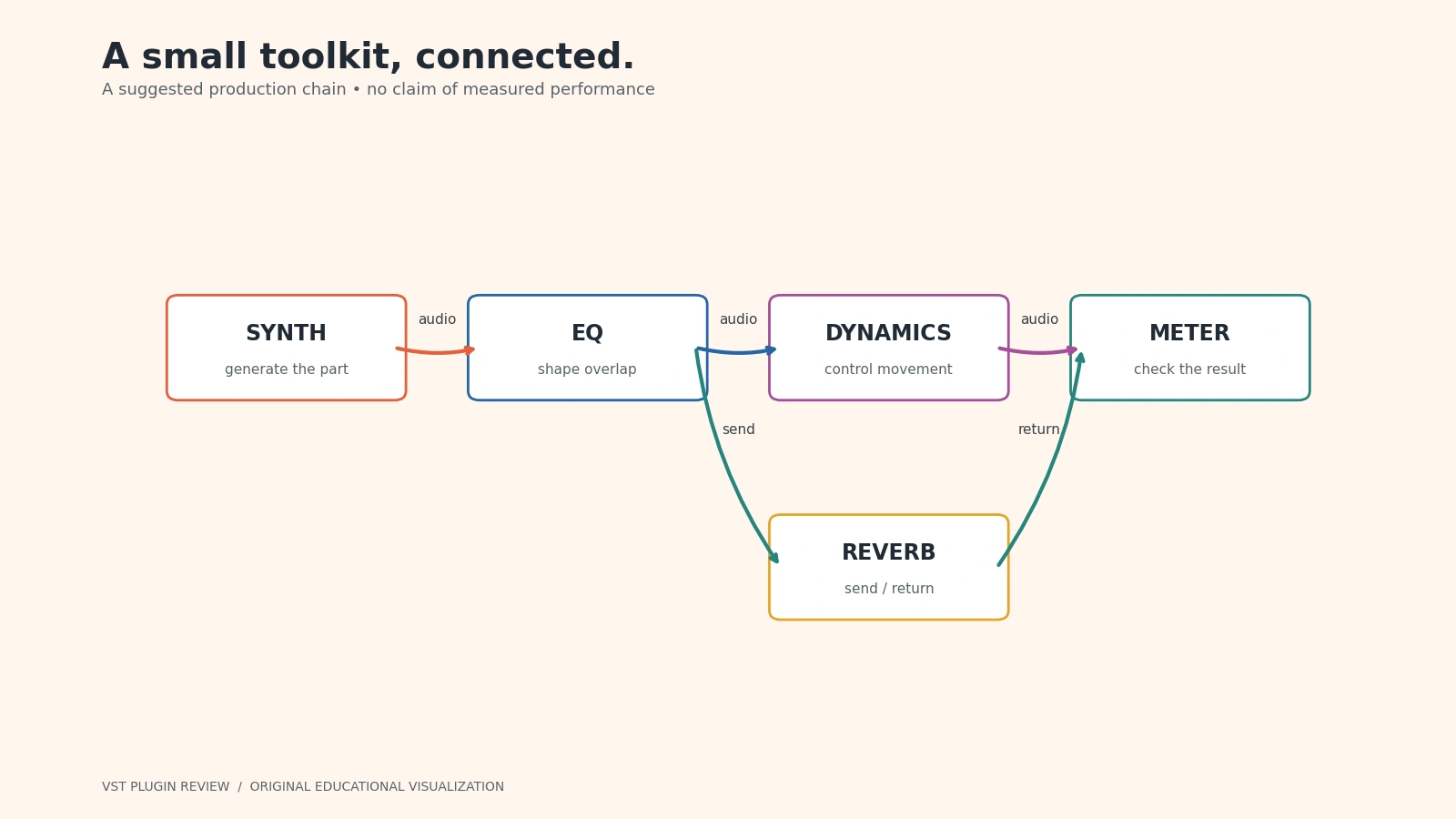
- Write with one instrument. Build a bass and a contrasting lead using Vital or Surge XT, rather than opening both immediately. Keep track levels moderate and make the MIDI notes work before polishing timbre. Add a simple drum pattern from authorized samples or your own synthesis.
- Arrange before processing. Decide which instrument occupies the lowest range and which carries the main hook. Shorten overlapping notes if they blur the rhythm. A busy composition will not become clear merely by downloading a better equalizer.
- Correct one audible issue. Use Nova for broad tonal balance or an occasional resonance. Bypass after every adjustment. If the correction makes the instrument impressive in solo but weak in the mix, reconsider the amount.
- Control dynamics only where necessary. Try Kotelnikov for subtle bus control or DC1A when a more obvious envelope change is useful. Keep output loudness matched. Avoid judging compression while simultaneously raising the channel fader.
- Create one shared space. Put Supermassive or an Essentials delay on a return. Send small amounts from related instruments so they share a space. Automate the send at transitions instead of leaving a large tail under every bar.
- Measure and export. Use SPAN to investigate spectral concerns and Youlean to observe loudness and true peaks. Export a lossless reference, listen on more than one playback system, and reopen the session to verify recall. Save the project, presets, sample licenses and installer-version notes together.
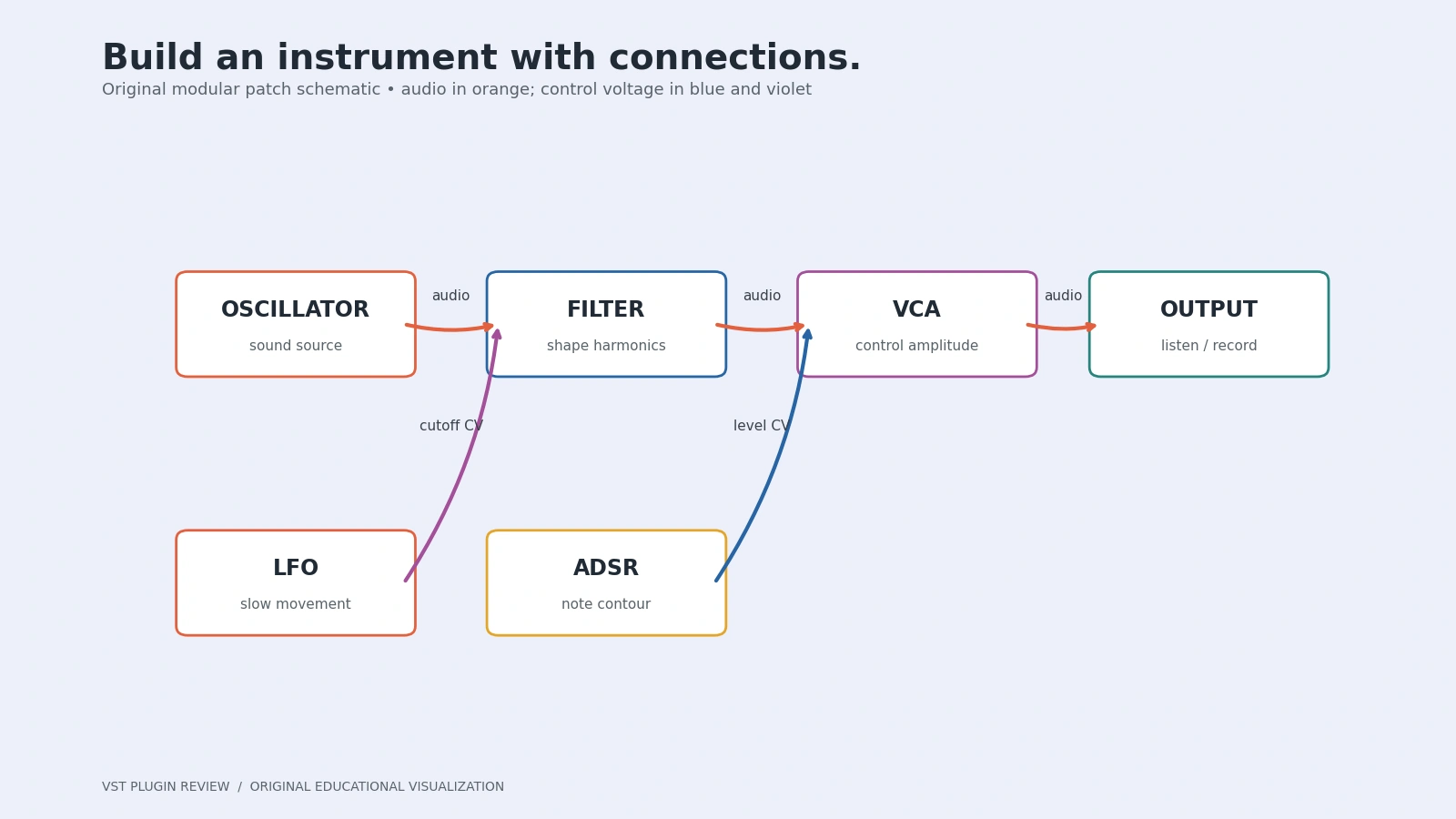
For a different way to learn signal flow, our modular-synthesis beginner's guide follows a complete patch from control sources to audio output. You can apply the same habit here: know what each stage receives, what it changes, and why it belongs in the chain.
Frequently asked questions
Can I release music made with free plugins?
Often yes, but read each software license and each sample or preset license. Permission to use a plugin is separate from permission to redistribute its installer or sample content. Do not assume a download site's informal “royalty free” label overrides the original author's terms.
Why does a plugin fail to appear in my DAW?
Confirm format, architecture, installation location and supported operating-system version. Rescan using your host's documented procedure. A Windows VST3 is not a macOS AU, and a standalone app is not automatically a plugin. Keep a working session backup before troubleshooting updates.
Which three downloads should I start with?
Choose one synth, one corrective processor and one meter: for example Surge XT, Nova and SPAN. Use your DAW's existing compressor, sampler and reverb first. Add another download when you can name a missing capability rather than because a list recommends collecting everything.
Are these tools guaranteed to stay supported?
No. We verified official availability on the stated research date, not future support or every host combination. Archive project renders, document versions and keep legitimate installers where licensing permits. That practical preparation matters for free and paid tools alike.